

 Margin Pro
 Retail 365
 AI Operator
 Seller 365
 UniCon
 Onsite Support


 Blog
Blog Amazon FBA calculator uses & how to choose one
One wrong fee estimate can erase your profit. Here’s how an FBA calculator can help.

“That product shows 35% ROI… until the fees hit.”
Many sellers learn this the hard way. A deal looks great at first glance, but once referral fees, fulfillment costs, storage, returns, and PPC enter the picture, the profit shrinks fast. Sometimes it disappears completely. A small mistake—like miscalculating $2 per unit across 500 units—can quietly wipe out $1,000.
That’s exactly why every seller needs an FBA calculator.
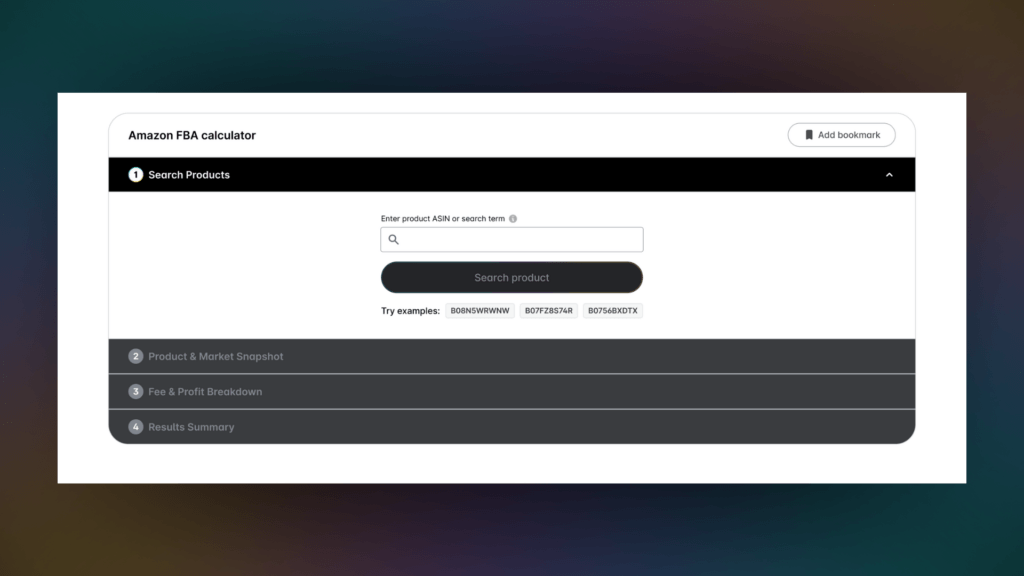
An Amazon FBA calculator helps you estimate the real cost of selling a product before you buy inventory or set your price. It breaks down expenses so you can calculate Amazon FBA fees, predict profit, and decide whether a product is actually worth selling. In short, it turns guesswork into math.
But not all calculators do the same job. Some tools only act as a simple Amazon fee calculator, giving rough estimates of basic fees. Others factor in things like cost of goods, shipping, and advertising so you can accurately see your true margin.
In this guide, you’ll learn what an FBA calculator for Amazon really calculates, when to use one during your workflow, and how to choose a tool that protects your margin instead of giving you misleading profit estimates.
What an FBA calculator actually does
As we mentioned earlier, an FBA calculator is a tool that helps sellers estimate how profitable a product will be before they buy inventory or list it on Amazon.
Instead of guessing, you enter a few basic numbers—selling price, cost of goods, shipping to Amazon, product size, and category—and the tool automatically calculates Amazon FBA fees and expected profit.
The goal is simple: show the real margin before you commit money to inventory.
Many products look profitable at first glance. Once fees are included, the math can change quickly. An Amazon FBA calculator removes that guesswork by combining product costs with Amazon’s fees and showing the result as profit, margin, and ROI.
To estimate Amazon FBA fees, the calculator factors in several key costs and profitability metrics.
Referral fees: This is Amazon’s commission for selling on the marketplace. It’s calculated as a percentage of the sale price and usually ranges from about 6% to 20%, with most categories around 15%.
Fulfillment fees: When you use FBA, Amazon charges a fulfillment fee for picking, packing, shipping, customer service, and returns. For many standard-size products, this typically falls around $3 to $6 per unit, depending on size and weight.
Storage fees: Amazon also charges for storing inventory in its warehouses. These fees depend on the product’s volume and time of year, with higher rates during peak months.
Net profit: After all costs are subtracted—product cost, referral fees, fulfillment fees, storage, and shipping to Amazon—the calculator shows the profit you keep per unit.
ROI (Return on Investment): ROI measures how much profit you earn compared to the product’s cost. Many sellers look for at least 30% ROI, with 50% or higher considered strong.
By combining these numbers, an FBA calculator for Amazon shows the real financial picture behind a product. It helps sellers test different selling prices and decide whether a product is worth investing in before money leaves their pocket.
Use an FBA calculator before you buy inventory
The best time to use an FBA calculator is before you spend money on inventory. Sellers should use it during product research to see if a product stays profitable after fees, shipping, and costs are included. Think of it as a sourcing filter that quickly shows whether a deal is worth pursuing or rejecting.
Validate arbitrage deals instantly
Arbitrage margins can be thin, so you need quick answers. Tools like ScoutX show estimated ROI and fees directly on Amazon listings, letting sellers evaluate deals without leaving the page. Mobile apps like Scoutify go further by scanning products and showing profit calculations instantly.
Set your minimum profitable price
An FBA fee calculator also helps you determine the lowest price you can sell without losing money. By testing prices, sellers can see the breakeven price, ROI targets, and margin thresholds before listing a product. Pricing tools like SmartRepricer then use those numbers to enforce rules that prevent automated repricing from dropping below profitable levels.
Compare FBA versus FBM
A good Amazon fee calculator can also model different fulfillment options. It helps sellers compare the costs of FBA vs. packing, shipping, and storing inventory themselves. This side-by-side view makes it easier to decide whether FBA convenience or FBM control leads to better margins.
Where Amazon’s free FBA calculator falls short
Amazon provides a free Amazon FBA calculator that helps sellers quickly calculate fees for a product. It’s useful for fast checks—you can enter a price, choose a fulfillment method, and instantly see estimated referral and fulfillment fees. Because the tool comes directly from Amazon, the fee data is generally accurate and aligned with current marketplace pricing.
But the tool is still basic. It doesn’t reflect the full cost of running a product. It can help you estimate, but it doesn’t show the entire financial picture behind a sale.
For example, the free calculator doesn’t factor in advertising costs. Many products depend on PPC ads to generate sales, and ad spend can easily take 10% to 30% of revenue in competitive categories. If those costs aren’t included, the profit estimate from the calculator can look far higher than the real margin.
The calculator also doesn’t track the cost of goods across suppliers, shipments, or inventory batches. Sellers can enter a product cost manually, but the system doesn’t store or manage those numbers over time. That means there’s no built-in way to monitor how changing costs affect profit.
Another limitation is the lack of historical data and inventory analysis. The Amazon FBA fees calculator works on a single product estimate, not across multiple SKUs or an entire catalog. It won’t show profitability trends, profit per ASIN, or margin changes across your inventory.
Finally, the tool doesn’t connect to accounting or financial systems. It won’t sync expenses, refunds, or other business costs that affect your real bottom line. Estimating fees is helpful—but estimating fees isn’t the same as tracking profit.
Track real profit beyond fees
Fees are only one piece of the margin. True profitability depends on everything that affects the sale. When everything is added up, a product that looked profitable in an Amazon calculator can end up with far smaller margins.
That’s why experienced sellers move beyond a simple FBA calculator and focus on full profit visibility. Instead of looking at one product estimate, they track the financial performance of their entire inventory. This approach shows the real net profit after every cost is accounted for.
Tools like FeedbackWhiz Profits help sellers see the complete picture. The platform consolidates Amazon fees, refunds, advertising costs, and sales data into a single profit-and-loss dashboard. Instead of relying on a single calculator, sellers can see how every SKU performs over time.
InventoryLab Accounting complements that view by tracking operational expenses automatically. It records the cost of goods sold, shipping expenses, reimbursements, and other financial data tied to each product. Together, these tools replace guesswork with clear financial tracking across the entire business.
Choose an FBA calculator that protects your margin
Not every FBA calculator is built to protect profit. A basic one might help you estimate FBA fees, but margin protection requires more than a quick fee estimate. The right tool should connect cost data, pricing, and inventory decisions so every calculation reflects your real profitability.
Use this checklist when evaluating:
- Real-time fee sync: Amazon updates referral fees, fulfillment rates, and storage costs regularly. A good FBA calculator should automatically pull current fee data so profit estimates stay accurate.
- COGS integration: Product cost isn’t just the supplier price. A strong calculator should include manufacturing cost, freight, prep, and packaging so ROI calculations reflect the true landed cost.
- PPC cost integration: Advertising often eats a large portion of revenue. A reliable calculator should factor in PPC spend so profit estimates don’t look inflated.
- ROI calculation: Sellers rely on ROI to compare product opportunities quickly. The calculator should automatically show net profit, margin, ROI percentage, and break-even price.
- Bulk analysis capability: Analyzing products one by one wastes time. Advanced tools allow batch calculations across product lists so sellers can screen dozens of deals at once.
- Multi-marketplace support: Sellers operating in multiple regions need a calculator that adjusts fees for different marketplaces like the US, UK, or EU.
- Integration with repricing: Price changes happen constantly. A calculator connected to repricing tools can enforce rules like never pricing below break-even or maintaining a minimum ROI.
- Inventory-level reporting: A strong system tracks profit across SKUs, ASINs, and suppliers. This way, sellers can see which products actually generate profit.
Turn fee estimates into profit control
Amazon fees are too complex to guess. Referral fees, fulfillment costs, storage, advertising, and returns all affect the final margin, and even small mistakes in estimates can quietly erase profit. That’s why a proper FBA calculator isn’t optional for serious sellers.
But using one is only the first step. The real goal is margin control—knowing exactly how costs, pricing, and inventory decisions affect profit before and after you source products.
That’s where Seller 365 comes in. Instead of juggling multiple tools, Seller 365 combines 10 essential Amazon seller apps in one subscription—covering sourcing, repricing, prep, accounting, and profit tracking in a single workflow. Plans start at $69 per month, and new users can start with a free 14-day trial.
Try Seller 365 free and calculate profit with confidence.