
 Margin Pro
 Retail 365
 AI Operator
 Seller 365
 UniCon
 Onsite Support


 Blog
Blog Amazon FNSKU guide for effective Amazon selling
Barcodes aren’t just labels. They’re how Amazon knows which items are yours. Here’s what every FBA seller should know about FNSKUs.

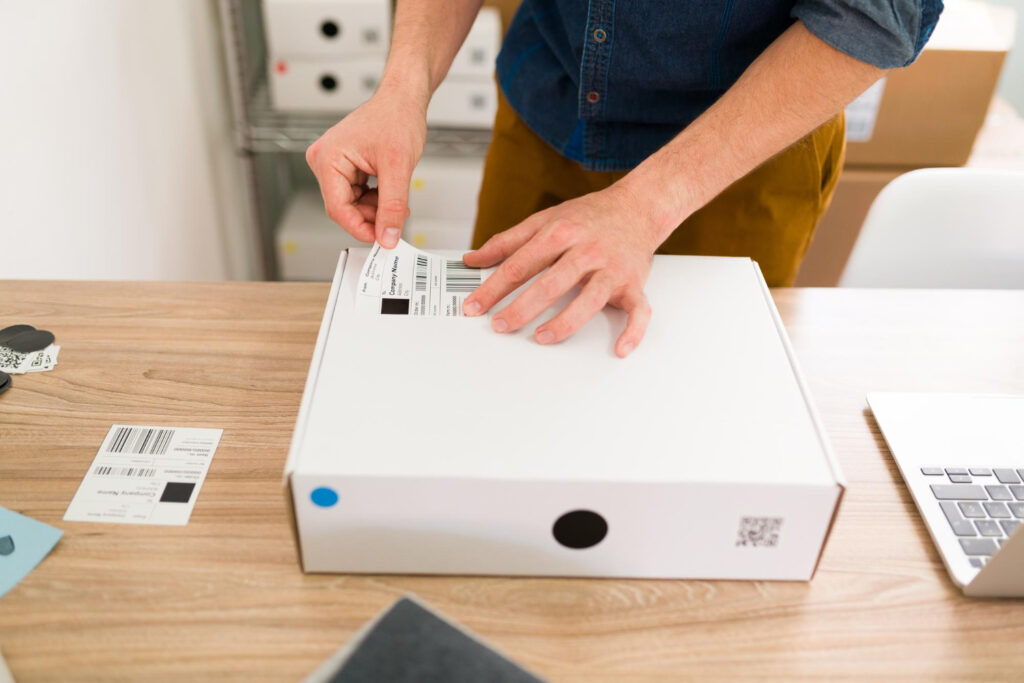
Barcodes keep Amazon’s massive fulfillment network running smoothly, directing products from warehouse shelves to customer doorsteps. The Fulfillment Network Stock Keeping Unit (FNSKU) stands out as particularly important for Amazon sellers using FBA. Let’s break down what FNSKUs are and how to use them correctly in your Amazon business.
What is an Amazon FNSKU?
An FNSKU is a unique barcode Amazon creates to track your specific products in its warehouses. It’s different from regular product codes because it identifies both what the item is and who’s selling it. Think of it as your product’s personal name tag inside Amazon’s system.
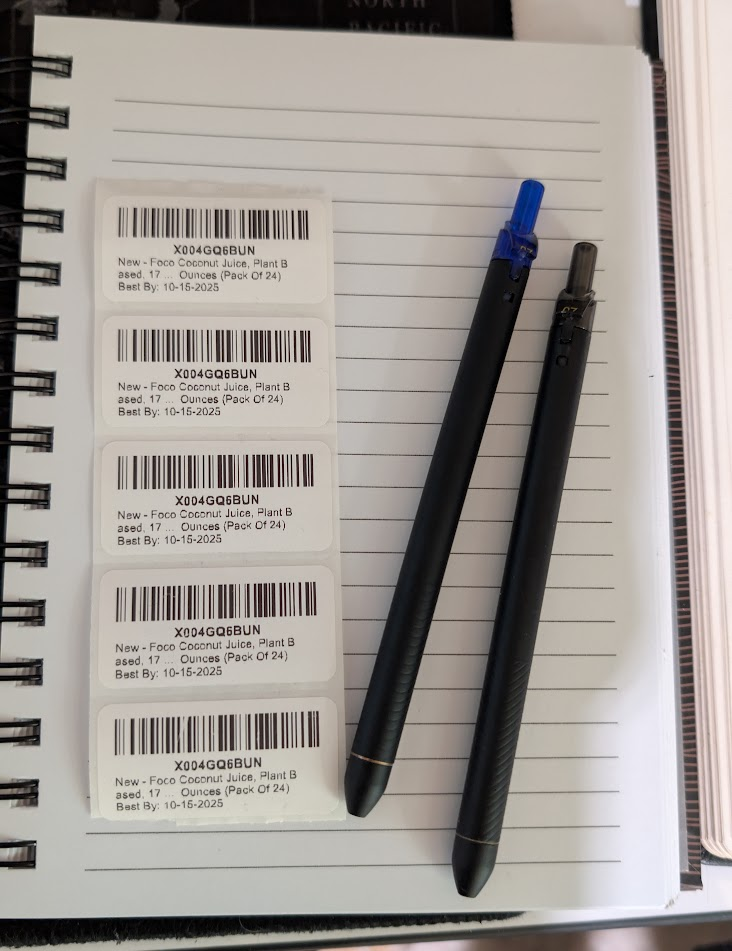
The FNSKU appears on a label with the scannable barcode (starting with “X”), the product name, and its condition. This little label connects each physical unit back to your seller account, so Amazon knows exactly which items belong to you.
Products with incorrect FNSKU labeling might get hit with extra fees, rejected outright, or even thrown away. This is especially true for media, consumables, baby products, and anything in restricted categories.
Understanding Amazon’s barcode hierarchy
Amazon uses several different tracking systems at once, each doing a specific job:
| Identifier | Purpose | Created by | Scope | Visibility | Example |
| ASIN | Identifies a product on Amazon | Amazon | Universal | Public (on product pages) | B00X4WHP5E |
| SKU | Internal inventory management | Seller | Seller-specific | Private (in seller dashboard) | HEADPHONES-RED-001 |
| FNSKU | Tracks a unit to a seller in FBA | Amazon | Seller-specific | Printed on the product label | X001ABC123 |
Manufacturer codes like UPC, EAN, JAN, and ISBN are universal product identifiers used across all retail. Amazon might use these for FBA tracking if your settings allow it. The catch? These codes are shared between all sellers, which can cause inventory mixing.
When your product enters Amazon’s system, it gets an ASIN first. You then create an offer by adding your own SKU. During this process, Amazon prompts you to choose a barcode preference—either the manufacturer’s barcode or an Amazon barcode (FNSKU).
If you select the Amazon barcode option, Amazon generates an FNSKU that links each unit specifically to your seller account. After the right barcode goes on, your product ships to a fulfillment center where it’s scanned, linked to your account, and eventually shipped when someone buys it.
When you need an FNSKU (and when you don’t)
Amazon requires FNSKUs in several situations now. You must use them if your products are used, fall into certain categories like media or consumables, contain restricted goods, or have missing UPCs. If you choose “Amazon barcode” in your Seller Central settings, FNSKUs become mandatory.
Some product categories have stricter FNSKU rules: baby products, health and beauty items, supplements, electronics accessories (especially batteries), and media like books and DVDs. Products in Amazon’s Transparency program might need transparency barcodes alongside FNSKUs to provide item-level authenticity, especially for brand protection.
A big factor in your barcode choice is inventory commingling. If you use manufacturer barcodes (UPC/EAN) instead of FNSKUs, your inventory might get mixed with other sellers’ items. Commingling can save you time and labor by eliminating the need to apply labels to every product. However, this convenience creates risk—damaged items from another seller could ship under your name, leading to bad reviews on your account.
You definitely need FNSKUs in these cases:
- Retail arbitrage and wholesale products on shared listings
- Private label products you want to keep separate
- Products with missing or unscannable manufacturer barcodes
- Dangerous or restricted goods
- Used condition items
- Items in Brand Registry with GTIN exemption
Step-by-step guide to creating FNSKUs
Creating FNSKUs through Seller Central is pretty straightforward. Log in to your account and go to “Manage Inventory.” Make sure you can see the “FNSKU” column in your inventory view (adjust this in preferences if needed).
Find the product you need labels for, click the “Edit” dropdown, and select “Print Item Labels.” Choose how many labels you need and click “Print Item Labels” to download a PDF. Use a laser or thermal printer with white, non-reflective label paper.
When putting the label on, make sure it’s on a flat surface (not curved), has a quarter-inch white space around it, and covers any existing barcodes like UPCs.
How to do this with InventoryLab
Seller 365’s InventoryLab makes FNSKU creation much easier by generating labels automatically based on your listings. It checks against restrictions for your selling the product and synchronizes with Amazon to generate the FNSKU for you. Once ready, you can print all labels for that SKU or all labels in your batch. You can also print item labels directly from inventory pages or the boxing step.
FNSKU best practices by seller type
Different Amazon business models need different approaches to FNSKUs.
- Private label sellers should consider printing FNSKUs directly on product packaging to avoid stickering later. Include the condition and product name on the label to prevent warehouse confusion. If you’re in Brand Registry, you might use both a GS1 barcode and FNSKU. Adding a Transparency barcode gives extra protection against counterfeits.
- Retail arbitrage sellers should always use FNSKU labels to avoid inventory mixing. Double-check that your product matches the ASIN before making labels. InventoryLab can make batch labeling much faster as well. For items where stickers might damage packaging, clear label sleeves work well.
- Wholesale sellers can ask suppliers to put FNSKUs on products before sending them to Amazon. Some suppliers can print labels on master cartons if Amazon accepts them. When using prep centers, include clear labeling instructions with your orders.
- With prep centers, send label PDFs along with your shipment details. Make sure items arrive sorted by SKU to prevent mix-ups. Ask for verification scans before shipping to Amazon. Always keep records of who put the labels on (you, the supplier, or the prep center) in case problems come up later.
What are your next steps?
FNSKUs play a crucial role in successful Amazon FBA selling. They keep your inventory separate from other sellers, prevent mixing issues, and help Amazon track your products accurately throughout their warehouses.
Remember: using the right FNSKU approach for your business type—private label, retail arbitrage, or wholesale—can dramatically improve your operations. Good labeling practices and the right tools minimize errors and get your products available for sale faster, too.
Ready to make FNSKU management easier? Try Seller 365, including InventoryLab, to automate label creation, simplify shipments, and grow your Amazon business more efficiently. Start your free trial today and see how the right tools can transform your operations.